Releases
Our latest features and improvements to help you work with more focus and less friction.
- 2025.4
Desktop app for Windows

We’ve released a desktop app for Windows. Enjoy everything you love about Whimsical in the browser—now in a focused, standalone desktop experience.
- In-app tabs to keep everything organized in one place
- Keyboard shortcuts to quickly switch between tabs
- A distraction-free environment for smoother workflows
On a Mac? We’ve got you covered too.
- 2025.3
File uploads

Starting today, you can upload files - PDFs, images, videos, audio, and more - right into Whimsical.
No more linking out to drive folders. No more hunting through Slack. Now your team’s files stay close to the work, not scattered across multiple apps.
- 2025.1
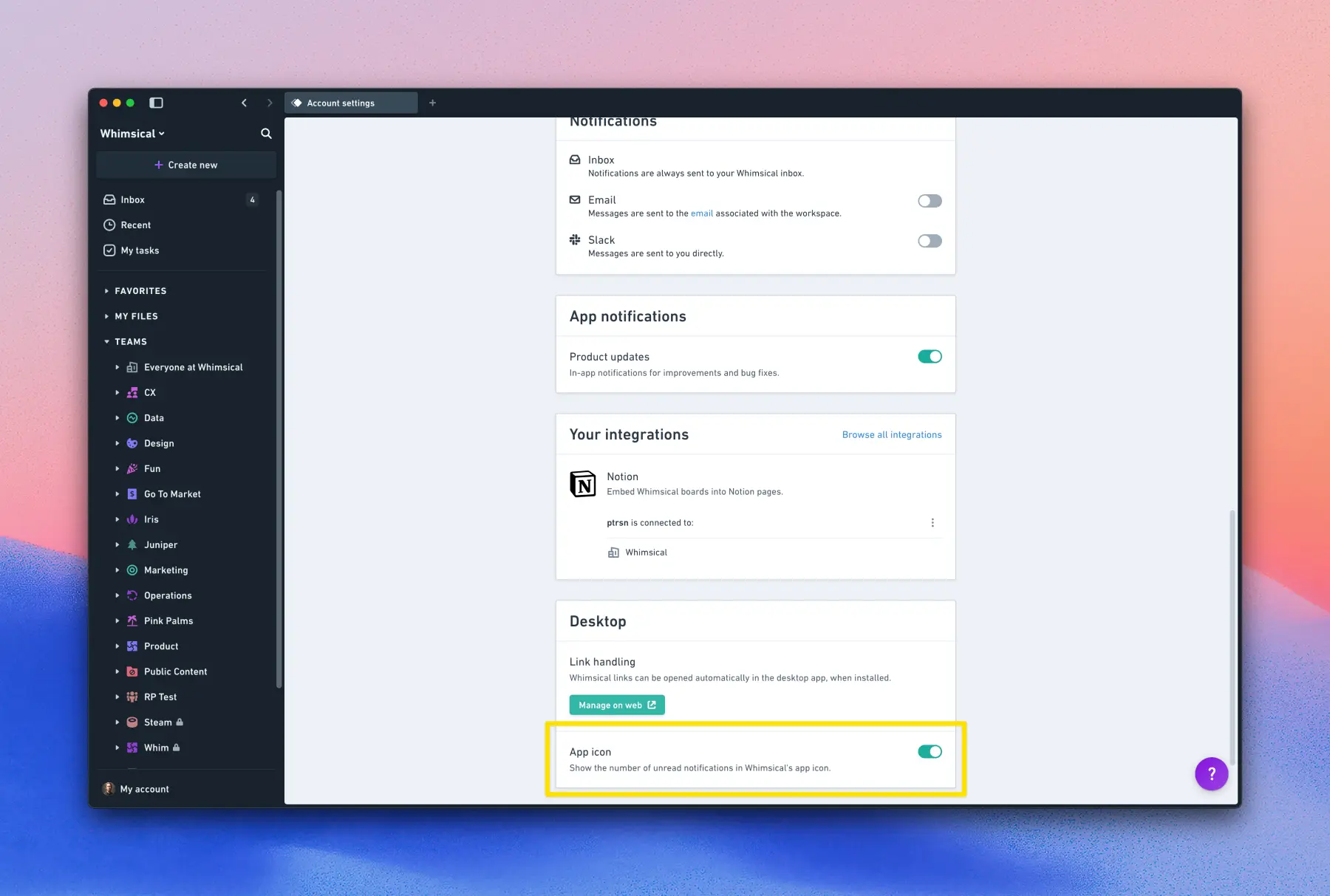
Desktop app icon notification badge
Whimsical desktop app users can now choose whether to show or hide the unread notification badge on the app icon.
To update your settings, visit https://whimsical.com/account, scroll to the Desktop section, and toggle the app icon badge on or off.
This feature is available exclusively in the Whimsical desktop app. If you haven’t downloaded it yet, get it here: https://whimsical.com/download
- 2024.36
Paste tables into Whimsical from your favorite spreadsheet app
You can now copy tables from Excel, Google Sheets, Numbers, etc. and paste as tables into Whimsical.
Pro tip: You can use the “Paste as” option to transform tables into sticky notes, cards, or bulleted lists.
Learn more about using tables in Whimsical.
- 2024.34
Some things have moved!
You may have noticed some changes in the UI lately. We’ve been cleaning things up to make it feel simpler and lighter. Don’t worry—we haven’t removed anything! Here’s a quick recap of where things have moved:
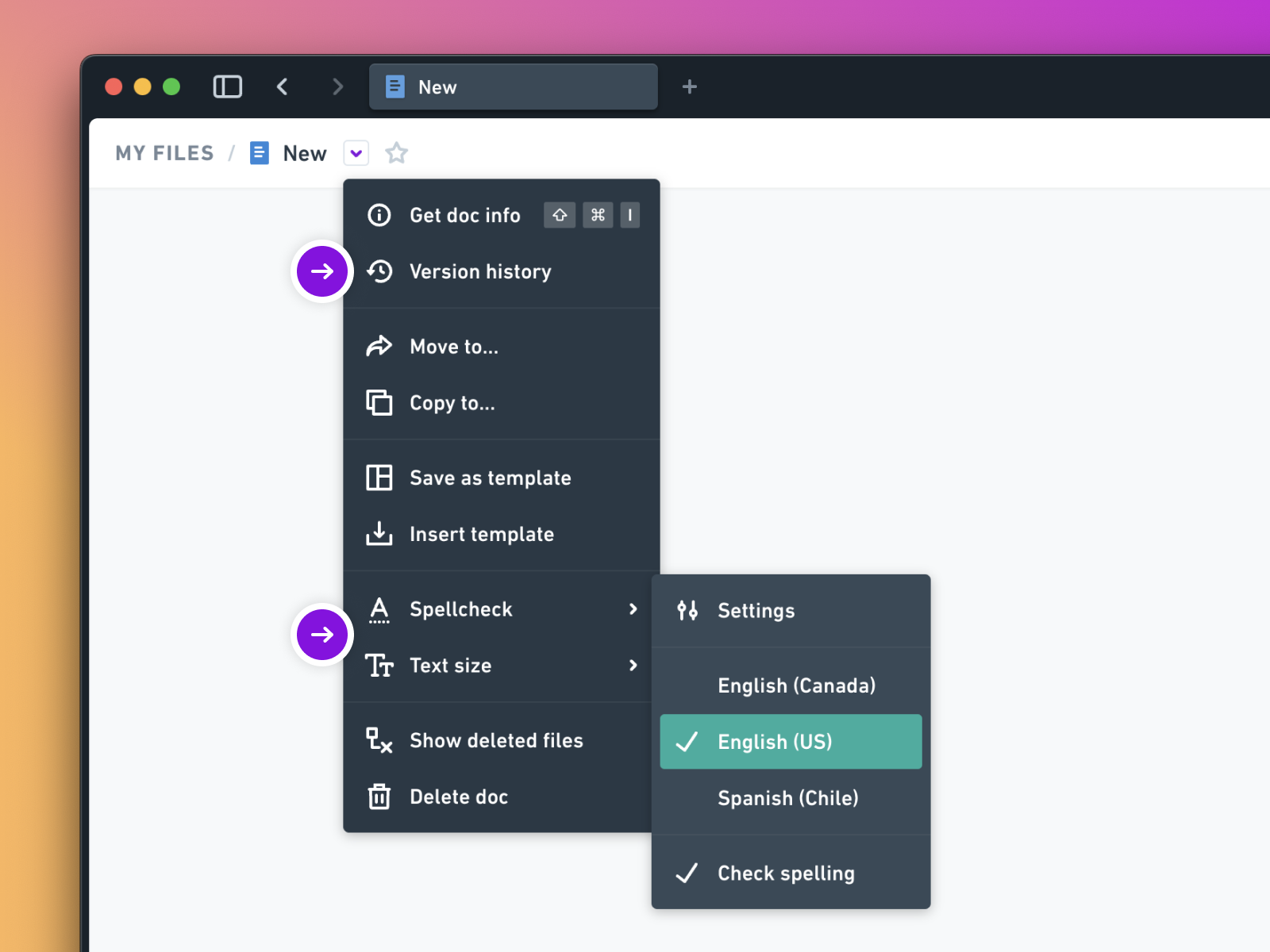
Spellcheck, text size, and version history
These features, once located in the bottom-right action bar, have moved to the file menu, which is beside the file name. You knew we had version history, didn’t you? 😉
Search & recent files
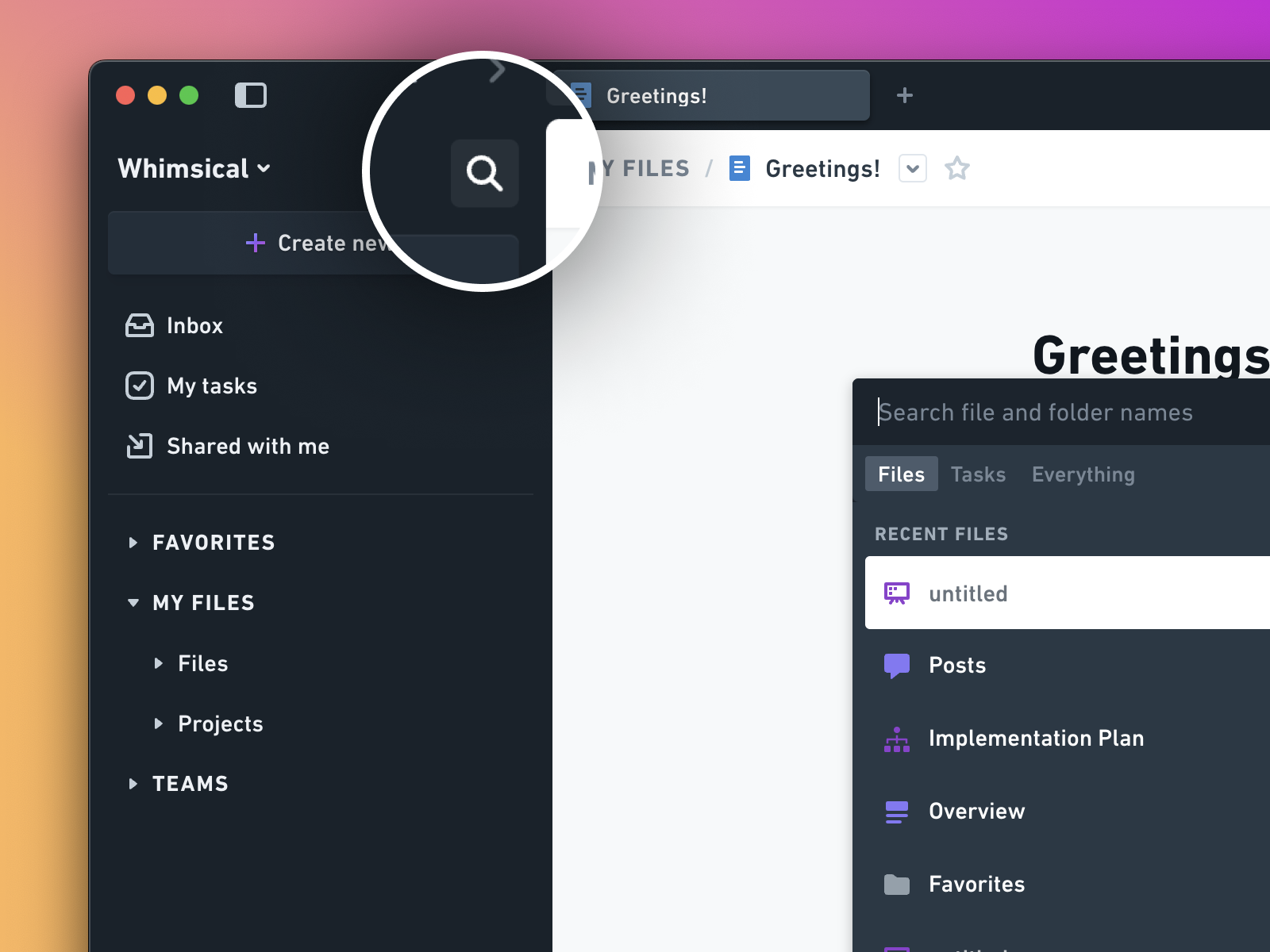
Search is now located in the sidebar, but the shortcut remains the same — CMD-J (Mac) or OPT-J (PC).
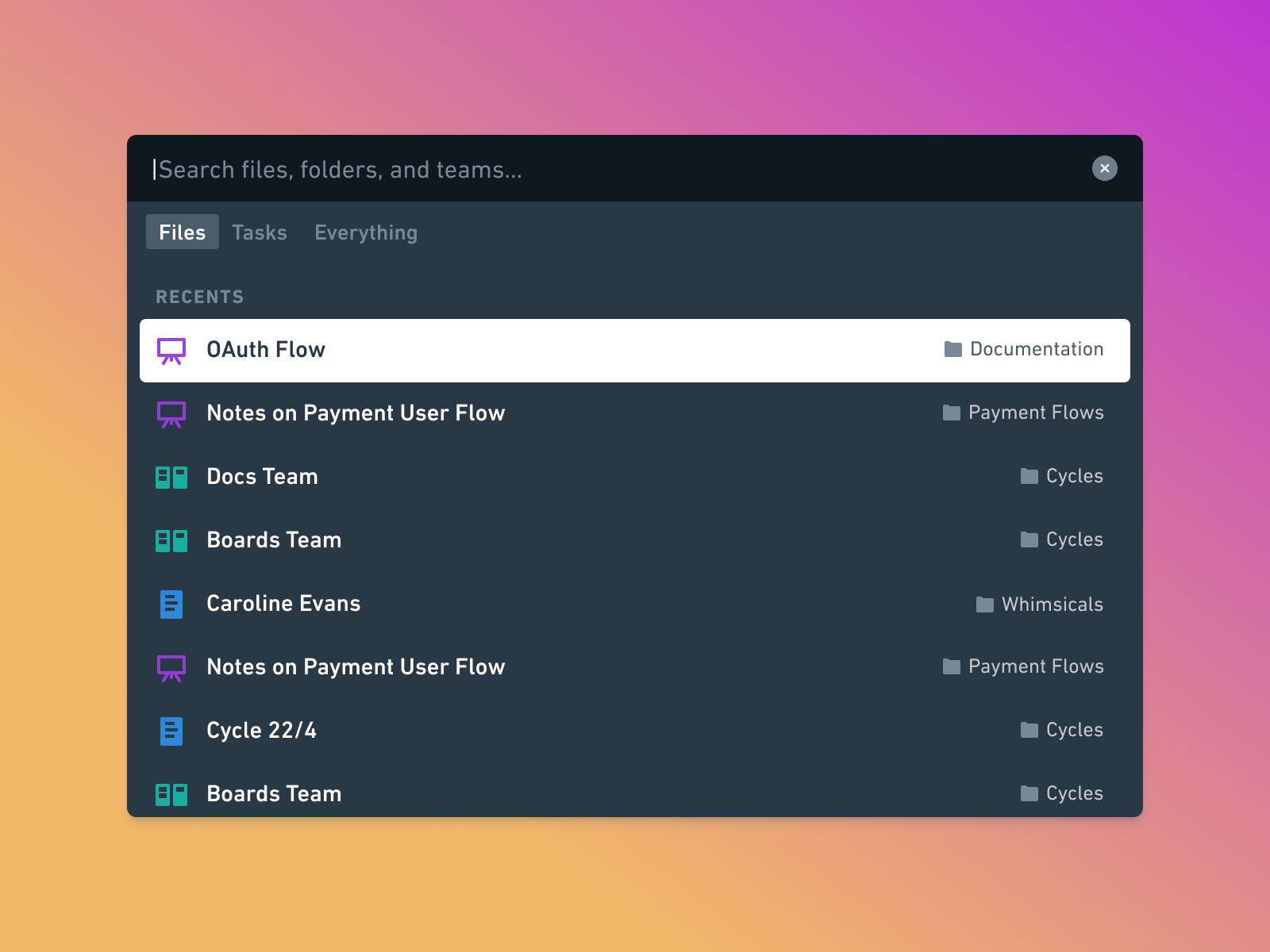
Recents was removed from the sidebar, but the feature still remains. When you open Search, your recently accessed files show by default.
Find in page
Formerly known as “Search Here,” Find in page is now a separate interface element. The shortcut remains the same – Command-F (Mac) and Ctrl-F (PC). You can also open it from the file menu using “Find...’
Export
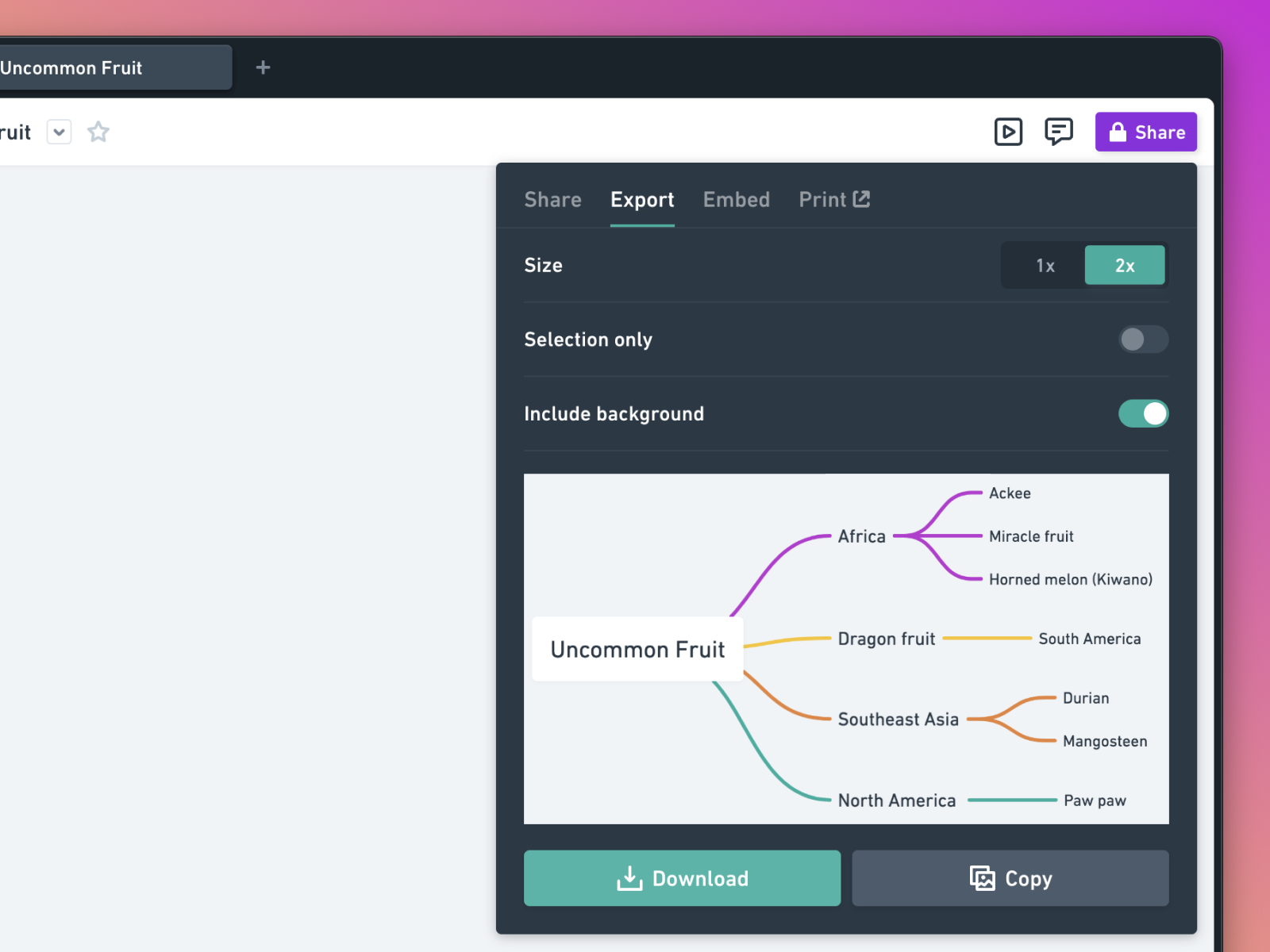
Export options are now part of the Share menu. Whether you want to share a link, export an image, or invite a teammate, you’ll find everything you need in this menu.
Voting
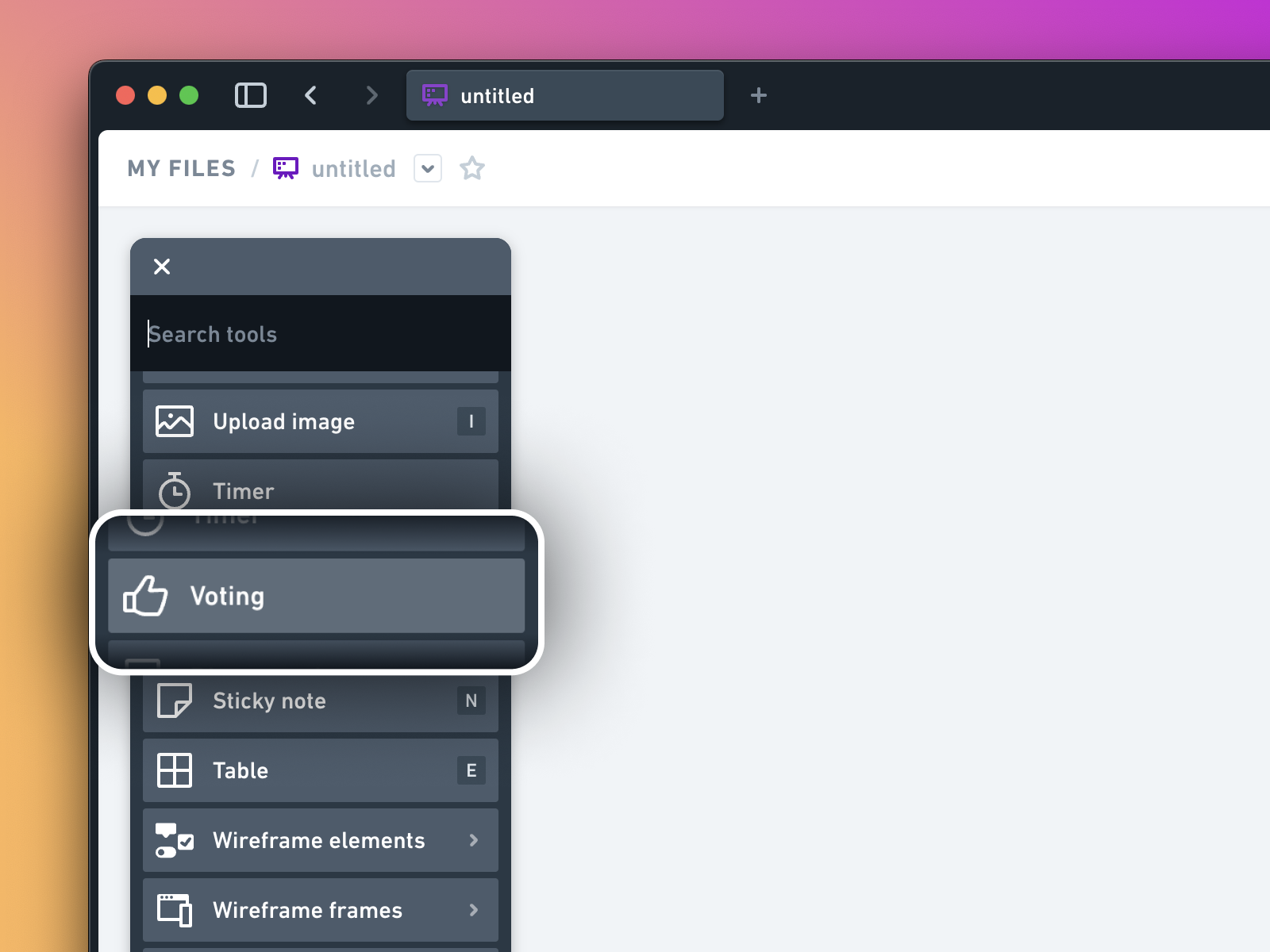
Voting has moved to the toolbar below the Timer. It’s there when you need it and stays out of the way when you don’t.
One last thing…
We’re mindful about changing familiar things because we know it can be disruptive. These changes are designed to make room for new things to come. If something feels off after the dust settles, please let us know! 💜
- 2024.35
New warnings and controls when editing color themes

Users now receive a warning when they edit a color theme, alerting them that their changes will affect other boards using that theme. This helps prevent users from unintentionally changing color themes used by other team members.
For org plan customers, a new setting allows restricting default color theme editing to admins only. You can enable this at whimsical.com/workspace/settings.
Learn more about editing color themes and restricting theme edit permissions.
- 2024.32
Board tables—rebuilt from the ground up
We’ve released a significant update to board tables. Now, you can adjust table columns and rows more intuitively, apply different color combinations, format text, and much more. This update also ensures better support for writing Chinese, Japanese, and other languages with special characters, making tables more accessible for everyone.
- 2024.33
New Slack notifications

You can now receive notifications in Slack about comments on files you’re watching, @-mentions in comments, reactions to your comments, and file invitations. If you’re a workspace admin, you can also receive notifications about new members in your workspace and requests from viewers to become editors.
To get started, connect the Slack app to your Whimsical account by going to https://whimsical.com/install/slack, or learn more about the Whimsical Slack app.
- 2024.31
Granular notification preferences

Do you get too much email? Whimsical now lets you choose how you want to receive notifications. For each notification type, you can choose if you want to be notified by email, Slack, or just in the notification inbox.
Configure your notifications at https://whimsical.com/account.